
onelittlebird

Beautiful apps created with love.

Amusia

Say goodbye to off‑key karaoke nights.

Completely tone deaf? Don't fret.

With Amusia, you'll get back in tune in no time.

Built from the ground up to work seamlessly with all your Apple devices. Whether you're on the go, or at home - your favorite tuner is only a button press away.

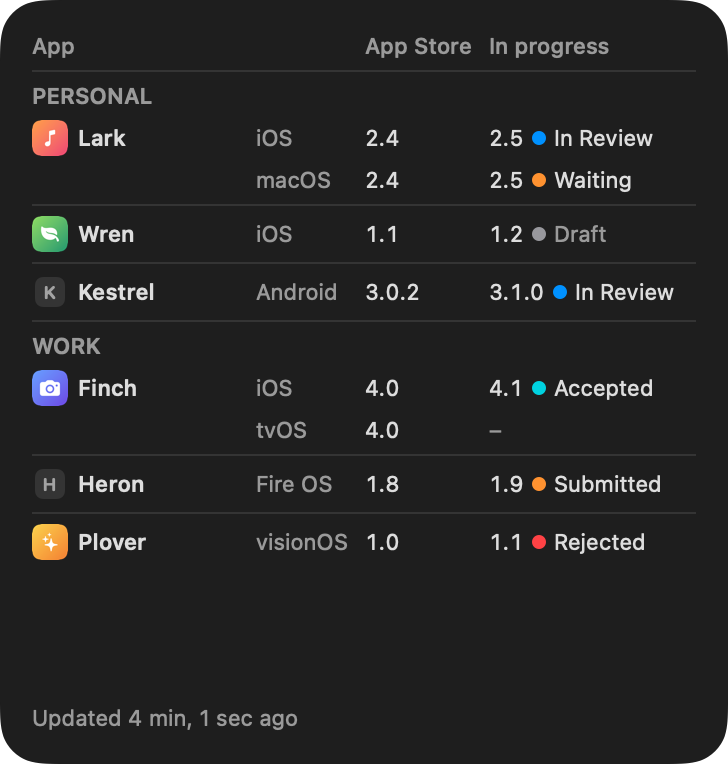
Amusia on Apple Watch
Amusia on iPhone

Your synaesthetic friend that guides you in the tuning process with the help of colors and motion - mapping each key on the circle of fifths to aesthetically pleasing color gradients.

Available now on iOS, watchOS and macOS.

Assistive Tuning

Guides you through the tuning process, step by step.

Metronome

With the built in metronome, you'll never miss a beat again.

Voice Coach

Practice your scales, and find out what type of voice you have.

Privacy policy

Introduction

Our vision is to create applications that's intuitive and easy to understand and use. We feel the same mindset should apply for our privacy policy - so that you as a user will know exactly what data we collect and what we do with it.

We process personal data as per the General Data Protection Regulation (GDPR) and other relevant data protection and privacy laws applicable to us.

Collection of data

Your privacy is of the utmost importance to us. All data collected by us is done through a third party service called Aptabase.

We do not collect any device specific identifier such as Device ID, Hostname or Hardware Identifier. Instead, Aptabase generates a unique user identifier on the server based on a strong hash of the client’s IP Address, User Agent and a strong salt - which differs for each app and is thrown away every 24 hours.

This is a common privacy-friendly strategy that makes it impossible for us to correlate sessions that happens throughout different days or apps.

We can only use your data to discover insights into our apps without identifying the user behind each action. All analytics data collected by us are stored in Aptabase for up to 5 years.

You cannot request us to delete your data, simply because it’s impossible to know what data relates to you.

Changes

We may update this policy as needed to comply with relevant regulations and reflect any new practices.

This document was last updated on March 21, 2024.

Have any questions?

Tailfeather

Bringing you the missing tvOS remote.

Lost the remote in the couch again?

Tailfeather lives in your Mac's menu bar and talks straight to your Apple TV. Swipe, click and type your way around - and see what's playing at a glance.

Mac ♥︎ PC

Add Tailfeather for Windows and share a clipboard between the two - copy text or an image on one, and paste it on the other a moment later, straight across your local network and encrypted end to end.

Privacy policy

Collection of data

Tailfeather does not collect, store or share any personal data. It contains no analytics or tracking, requires no account, and does not talk to any server of ours.

Your Apple TV

Tailfeather communicates directly with your Apple TV over your local network. The pairing created when you enter the code shown on your TV is stored in your Mac's login keychain and never leaves your device.

To show artwork for what's playing, Tailfeather may download images from the addresses your Apple TV provides. No information about you or your usage is attached to these requests, and the images are not stored.

Clipboard sharing

When you pair a Windows PC running Tailfeather for Windows, what you copy is sent directly between your paired devices over your local network, encrypted end to end. It never passes through a server, and content that password managers mark as private is never sent.

Each device keeps its pairing in its own secure key storage - your Mac's login keychain and your PC's Windows key storage. The log files on your PC never include what you copy.

Changes

We may update this policy as needed to comply with relevant regulations and reflect any new practices.

This document was last updated on September 27, 2026.

Have any questions?

Birdseye

A bird’s‑eye view of your AI usage.

For Mac, iPhone and Apple Watch.

Coming soon to the App Store

Know before you hit the limit.

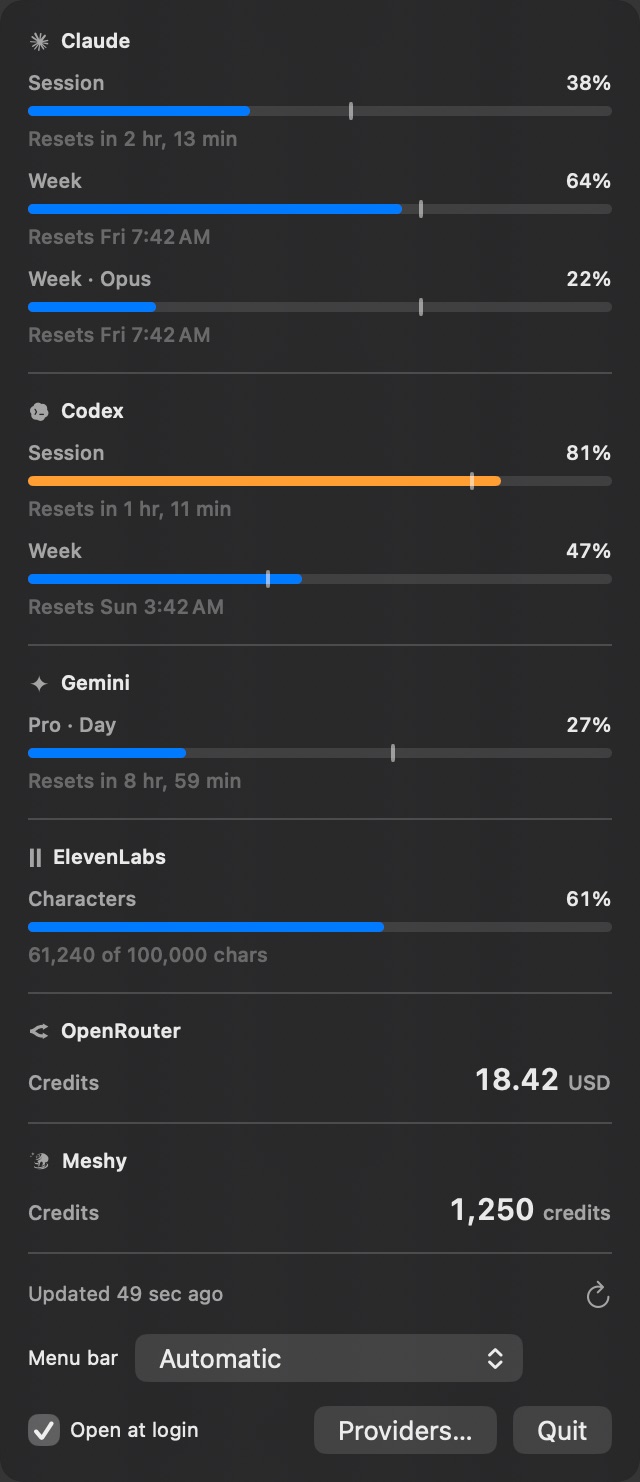
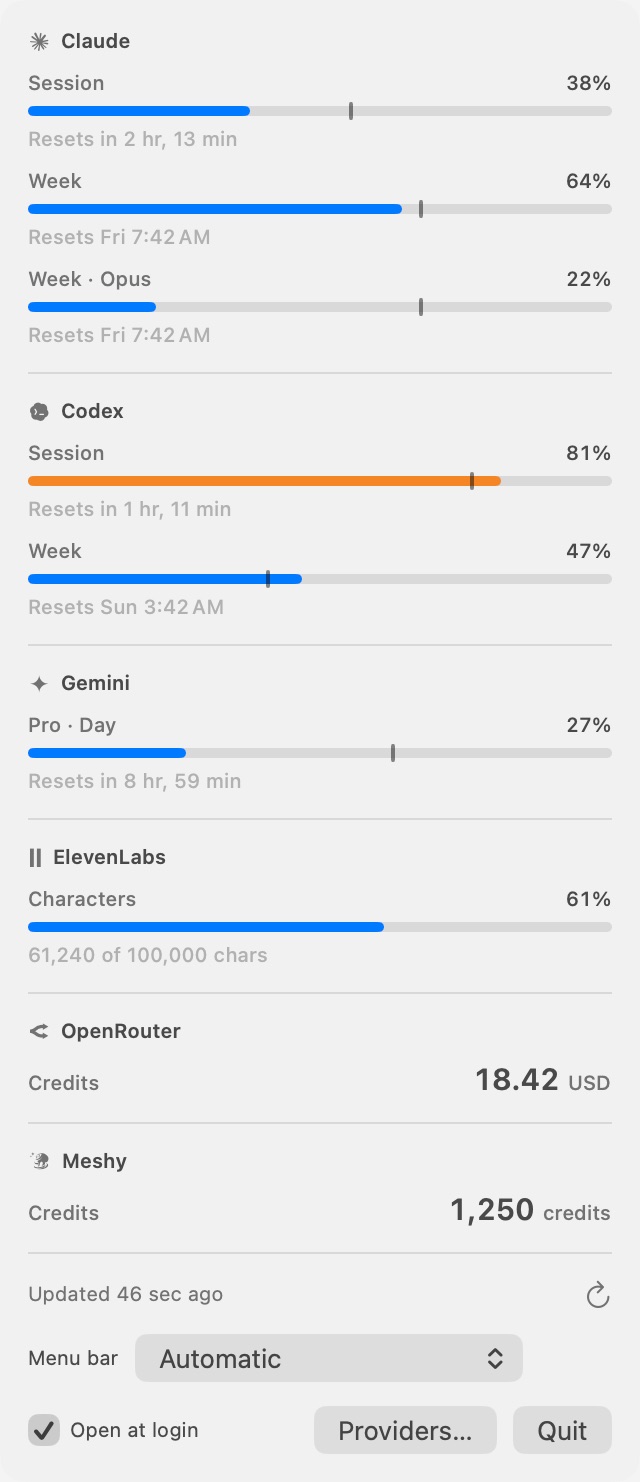
Birdseye lives in your Mac's menu bar and keeps track of the plan limits and credit balances of the AI services you use - Claude, Codex, Gemini, ElevenLabs, OpenRouter, Meshy, or any service with a JSON API.

Every bar shows how much of a window you've used and when it resets, and a small marker shows where an even pace would put you - so you can tell at a glance whether to slow down or spend freely.

Birdseye in the Mac menu bar, showing usage across six AI services
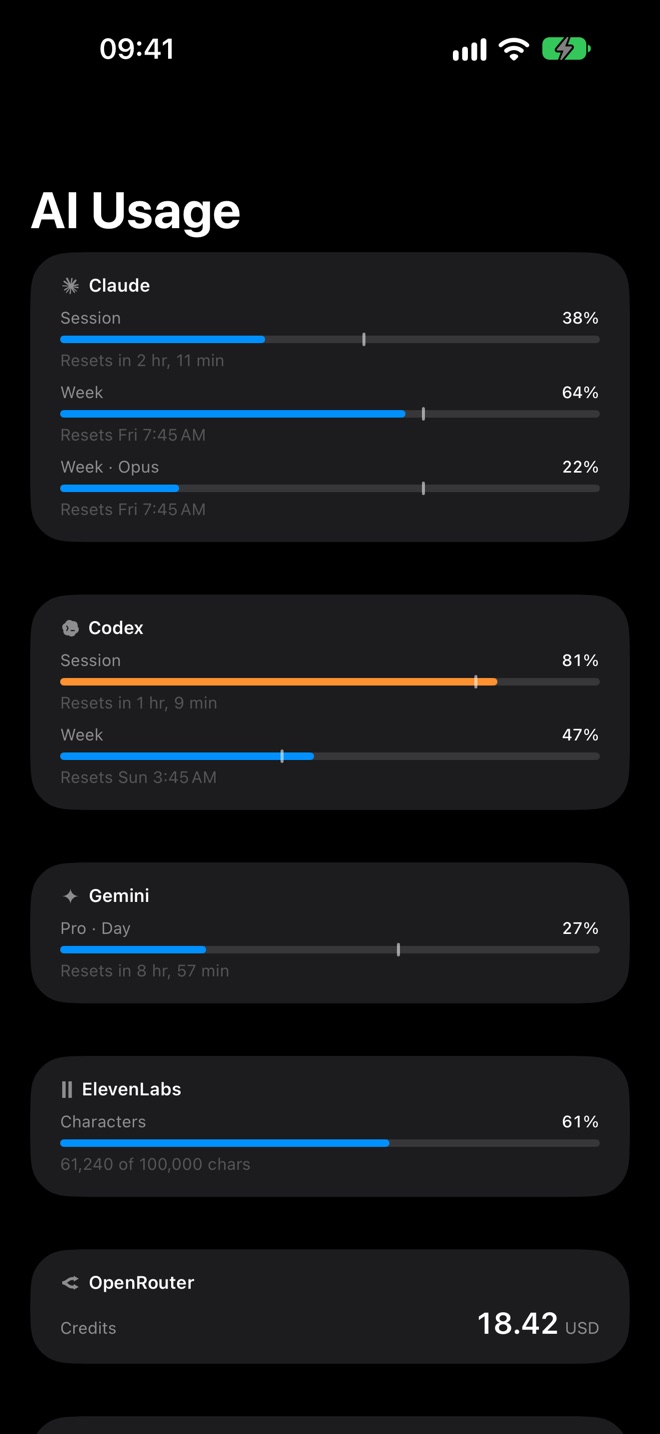
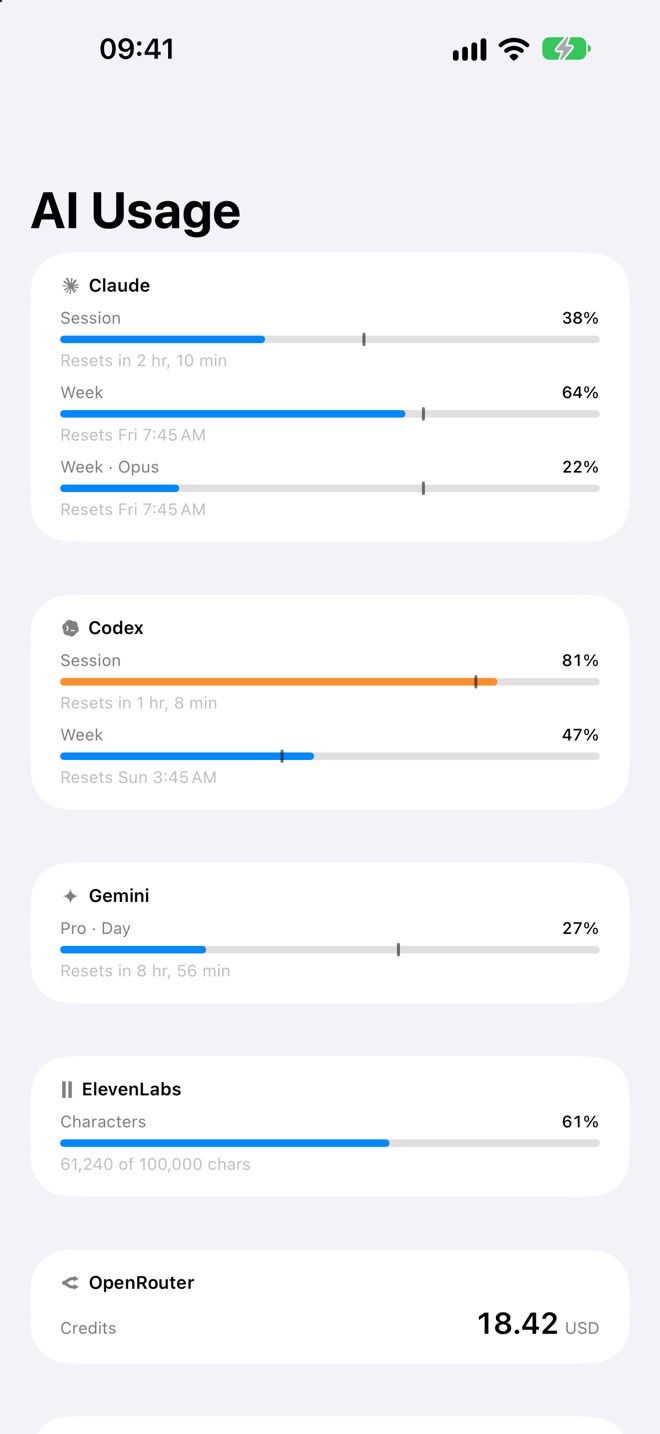
Birdseye on iPhone

In your pocket, too.

Your Mac shares every refresh through your own iCloud, so Birdseye on your iPhone always knows what's left - in the app, and in widgets on your Home and Lock Screen.

And on your wrist.

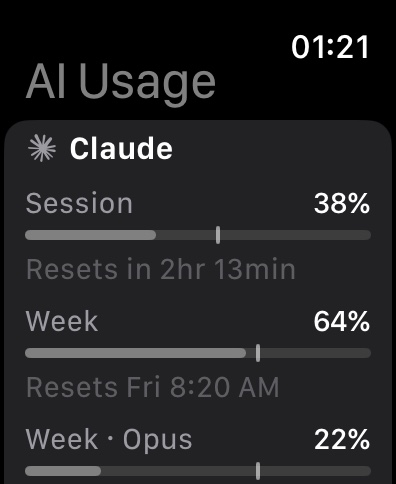
Glance at your limits on Apple Watch, or put them right on your watch face as complications - so you'll know how much is left before you sit down to work.

Birdseye on Apple Watch

Pace Marker

See whether you're ahead of or behind an even pace through every window.

Widgets Everywhere

On your desktop, your Home and Lock Screen, and your watch face.

Private by Design

Keys stay in your Mac's keychain, and your usage only travels through your own iCloud.

Privacy policy

Collection of data

Birdseye does not collect, store or share any personal data. It contains no analytics or tracking, requires no account, and does not talk to any server of ours.

Your AI services

The Mac app fetches your usage straight from the services you add, signed in as you. API keys you enter are stored in your Mac's login keychain. For Claude, Codex and Gemini, Birdseye reads the sign-in their own command-line tools keep on your Mac. To keep a Claude sign-in from expiring, it may have the Claude command-line tool send a one-word request on your account.

Each service receives only the requests needed to report your usage, and its own privacy policy covers what it does with them.

iCloud sync

With iCloud sync on, your Mac saves the latest usage figures - the names of your services, how much of each limit is used, and when it resets - to your private iCloud database. Only your own devices signed in to your Apple Account can read it, and we have no access to it. The iPhone and Apple Watch apps only read it.

On your devices

Each device keeps the latest figures in Birdseye's own storage, so its widgets can show them. On your Mac, the latest response from each service is also kept in Birdseye's cache folder to help diagnose problems. None of this leaves your devices, apart from iCloud sync.

Changes

We may update this policy as needed to comply with relevant regulations and reflect any new practices.

This document was last updated on October 14, 2026.

Have any questions?